
Reading: Face & Touch ID Setup
Using Face ID and Touch ID
“Typing passwords every time can be tiring. Let’s set up Face ID or Touch ID so your iPhone unlocks with your face or fingerprint — secure and simple.”
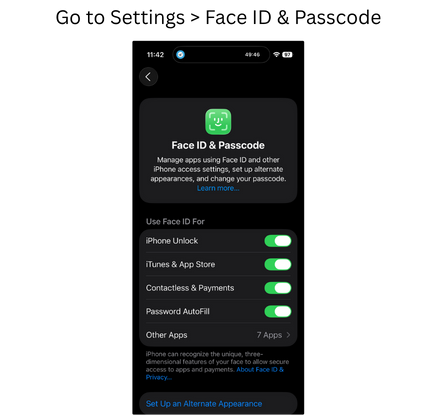
Face ID & Passcode
Face Scan

Alternative

Review
- Go to Settings > Face ID & Passcode (or Touch ID)
- Follow prompts to scan face or fingerprint
- You’ll use this instead of typing your passcode
- Works for unlocking, App Store, Apple Pay, and more