
Reading: Notes App Guide
Using Notes for Lists and Ideas
The Notes app helps you stay organized. In this lesson, you’ll learn how to create notes, grocery lists, ideas, or reminders. You can even lock notes or scan documents using the Notes app
Notes App

Review
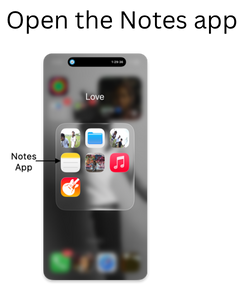
- Open the Notes app
- Tap the new note icon to begin
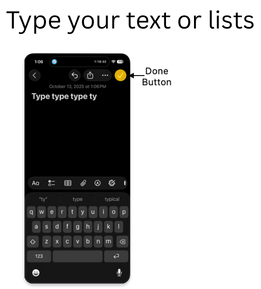
- Type your text or lists
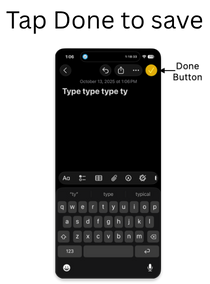
- Tap Done to save
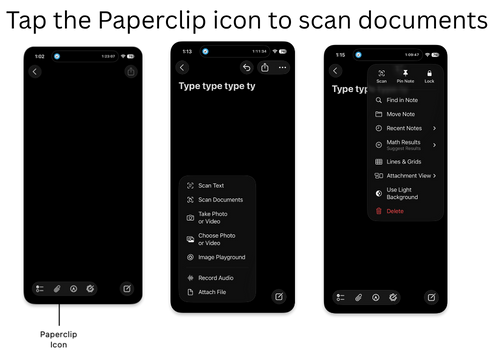
- Tap the Paperclip icon to scan documents
- You can pin or lock important notes for safety