
Reading: Privacy Protection Steps
Understanding Privacy & Location Settings
Your iPhone has powerful privacy tools to protect you. In this lesson, you’ll learn how to control what apps can access — like your location, photos, or microphone — and how to turn off tracking for better security.
Privacy
Review
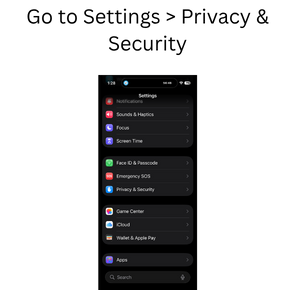
- Go to Settings > Privacy & Security
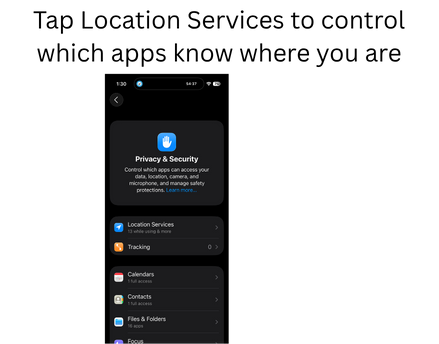
- Tap Location Services to control which apps know where you are
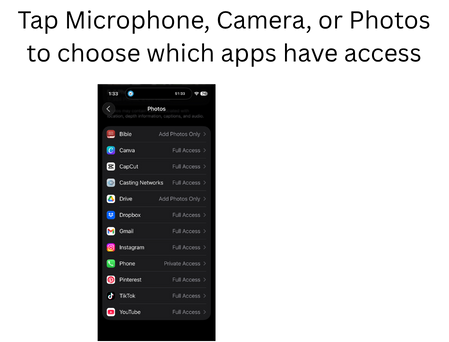
- Tap Microphone, Camera, or Photos to choose which apps have access
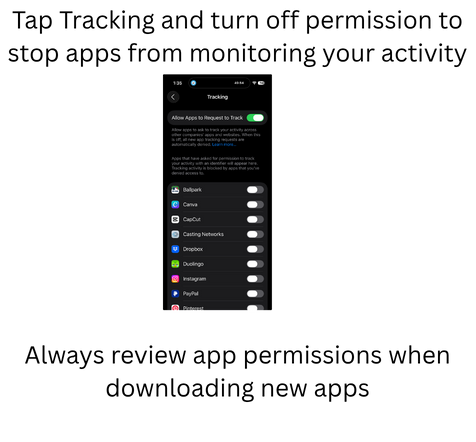
- Tap Tracking and turn off permission to stop apps from monitoring your activity
- Always review app permissions when downloading new apps