
Reading: Scheduling Basics
Using the Calendar and Reminders Apps
Never miss an appointment again. This lesson shows you how to use your Calendar to plan your day and Reminders to stay on track — all from your iPhone.
Calender App
Review
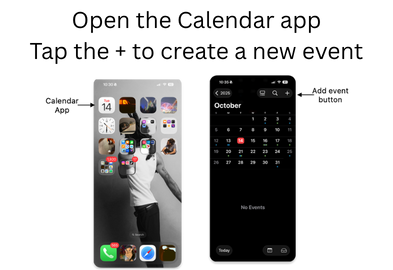
- Open the Calendar app
- Tap the + to create a new event
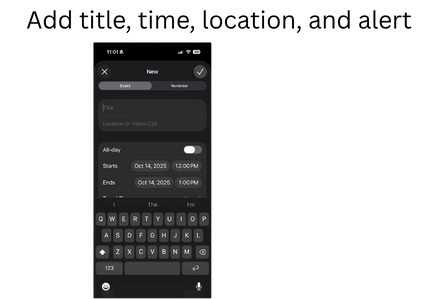
- Add title, time, location, and alert
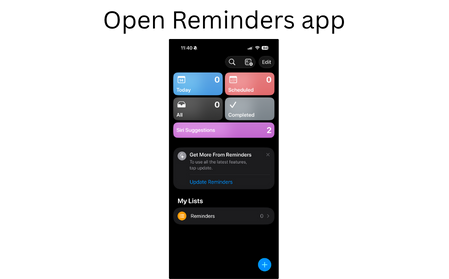
- Open Reminders app
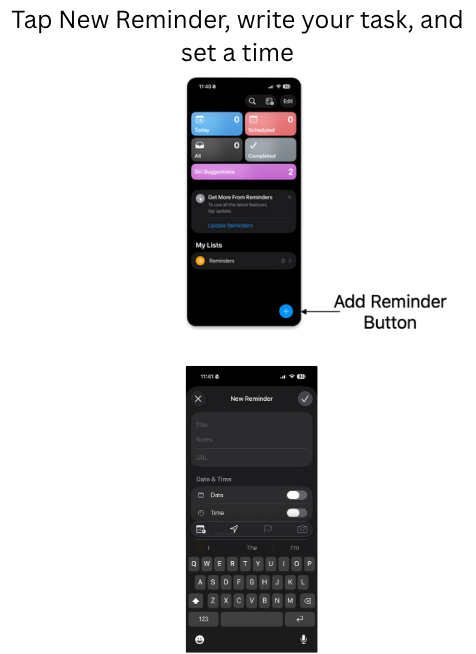
- Tap New Reminder, write your task, and set a time