
Reading: Backup Instructions
Using iCloud to Back Up and Store Data
What if your phone breaks or gets lost? With iCloud, your photos, contacts, and more stay safe. This lesson shows how to turn on iCloud backup and store important files securely.
iCloud
Review
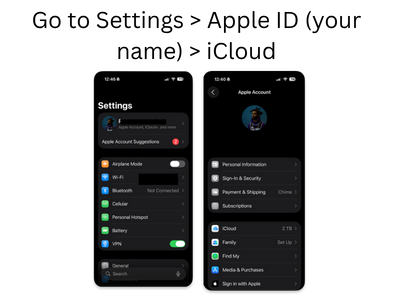
- Go to Settings > Apple ID (your name) > iCloud
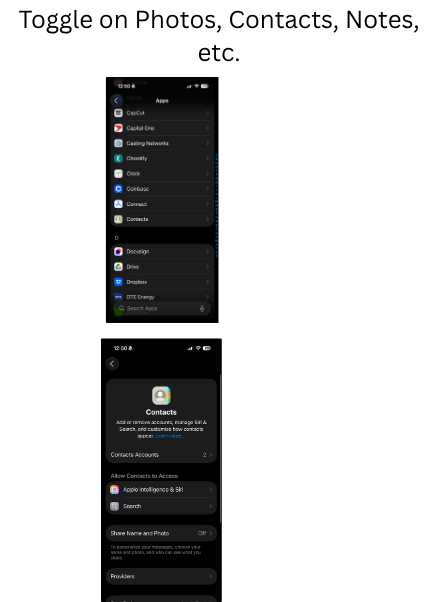
- Toggle on Photos, Contacts, Notes, etc.
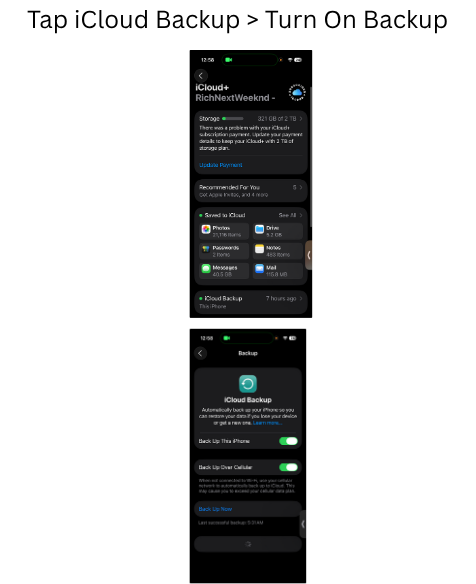
- Tap iCloud Backup > Turn On Backup
- Backup happens automatically when connected to Wi-Fi and charging